



Built by the Fctr Identity team • Not affiliated with Okta

The world's first Autonomous AI Engineer for Okta. Built on the ReAct (Reason and Act) pattern, Tako doesn't just answer questions—it thinks, writes code, and self-heals errors in real-time to deliver deterministic, production-ready results.
- 🗣️ Natural Language Queries - Ask questions in plain English, get instant results
- 🤖 Multi-Agent Committee - Specialized agents working in concert for accurate results
- 💬 Slack Bot Integration - Query Okta from any Slack channel via
/tako. Opt-in — disabled by default. (Setup guide →) - 📜 Query History & Favorites - Access last 10 queries and save favorites for quick reuse
- 🔧 CLI Tools for Automation - Enables unattended runs, cron jobs, and script generation
- 📊 Script & CSV Export - Generate portable Python scripts and export results
- 🛡️ Multi-layer security - Security validation at every code generation point
- 🐳 Easy deployment - Docker support for AMD64 and ARM64 platforms
📌 Note on AI Models: Tako has been tested and validated with specific models (see tested models here). While you can use other models, they may not perform as expected.
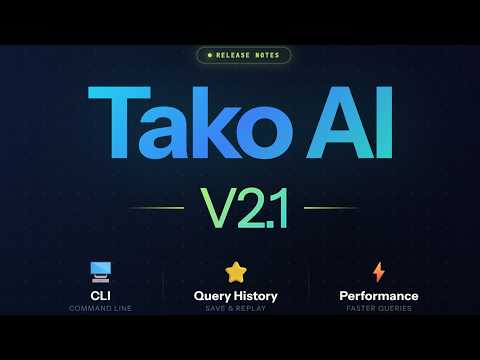
Demo: ReAct agent reasoning through queries with real-time progress updates and CSV download
Tako includes command-line tools designed for non-interactive scenarios:
Tako CLI (tako-cli.py)
Local Installation:
# Run queries from command line
python scripts/tako-cli.py "list all users created in last 30 days"

# Generate reusable scripts
python scripts/tako-cli.py "show suspended users" --scriptonly

# Export results as CSV
python scripts/tako-cli.py "find users with MFA enabled" --csv
Docker Installation:
# Run queries from command line
docker exec okta-ai-agent python scripts/tako-cli.py "list all users created in last 30 days"

# Generate reusable scripts
docker exec okta-ai-agent python scripts/tako-cli.py "show suspended users" --scriptonly

# Export results as CSV
docker exec okta-ai-agent python scripts/tako-cli.py "find users with MFA enabled" --csv
Note: The ".env file not found" warning when using
docker execis harmless - environment variables are already loaded by docker-compose. Sync CLI (sync_okta_to_db.py)
Local Installation:
# Scheduled database sync for automation
python scripts/sync_okta_to_db.py
Docker Installation:
docker exec okta-ai-agent python scripts/sync_okta_to_db.pyUse Cases:
- Cron Jobs - Schedule daily/weekly reports or data syncs
- Scheduled Tasks - Automate compliance checks and audits
- Script Generation - Generate portable Python scripts for recurring queries
- CI/CD Integration - Embed Okta data validation in pipelines
- Batch Processing - Process large datasets without UI interaction
All generated scripts are self-contained and portable within the project structure.
Tako auto-corrects syntax errors, validates API parameters against Okta's spec, and retries intelligently when issues occur. Built-in circuit breakers prevent runaway loops, while automatic error tracking reports exactly what failed and why - eliminating trial-and-error cycles.
Run on lightweight, low-cost models (Gemini 3 Flash, Claude 4.5 Haiku, GPT-4.1) and reduce AI costs by 10-50x compared to premium models, while maintaining enterprise-grade accuracy through Tako's structured multi-agent workflow.
- API Mode - Real-time Okta API calls (no database sync required)
- Database Mode - Optional: Sync to local SQLite for faster queries
- Hybrid Mode - Automatically selects optimal source when database is synced
While the Okta MCP Server is excellent for developers working inside IDEs (Cursor, Claude Desktop), Tako is designed as a centralized team platform.
| Feature | Okta MCP Server | Tako AI Agent |
|---|---|---|
| Target Audience | Developers & Architects | IT Teams, Help Desk, Security Analysts |
| Interface | IDE / Command Line | Web UI & Natural Language |
| Setup | Per-user configuration | Single Docker container for the team |
| Context | Limited by IDE context window | Full documentation + Database context |
| Scale | Ad-hoc queries | Enterprise-scale data processing |
Visit our Installation Wiki for non-Docker setup guides
✅ Docker installed on your machine
✅ Okta tenant with superadmin access
✅ Access to any of the supported AI providers
✅ Authentication Setup: Configure OAuth 2.0 or API Token authentication →
Tako supports multi-architecture deployment with native images for both AMD64 (Intel/AMD) and ARM64 (Apple Silicon, AWS Graviton) platforms.
# 1. Create a project directory and navigate to it
mkdir okta-ai-agent
cd okta-ai-agent

# 2. Create required directories for data persistence
mkdir -p sqlite_db logs certs

# (Optional) Place your own TLS cert/key as certs/cert.pem and certs/key.pem for custom HTTPS

# 3. Download the docker-compose.yml file
curl -O https://raw.githubusercontent.com/fctr-id/okta-ai-agent/main/docker-compose.yml

# 4. Download and modify the .env file with your configuration
curl -O https://raw.githubusercontent.com/fctr-id/okta-ai-agent/main/.env.sample
mv .env.sample .env

# ⚠️ IMPORTANT: Edit the .env file with your settings! ⚠️
# nano .env (or use your favorite editor)# 1. Create a project directory and navigate to it
New-Item -ItemType Directory -Path okta-ai-agent
Set-Location okta-ai-agent
# 2. Create required directories for data persistence
New-Item -ItemType Directory -Path sqlite_db, logs, certs -Force
# (Optional) Place your own TLS cert.pem and key.pem files in the certs directory for custom HTTPS
# 3. Download the docker-compose.yml file
Invoke-WebRequest -Uri "https://raw.githubusercontent.com/fctr-id/okta-ai-agent/main/docker-compose.yml" -OutFile "docker-compose.yml"
# 4. Download and modify the .env file with your configuration
Invoke-WebRequest -Uri "https://raw.githubusercontent.com/fctr-id/okta-ai-agent/main/.env.sample" -OutFile ".env.sample"
Rename-Item -Path ".env.sample" -NewName ".env"
# ⚠️ IMPORTANT: Edit the .env file with your settings! ⚠️
# notepad .env (or use your favorite editor)Step 1: We recommend you set it to 100% but depending on whatever value you set, please read the table below to get the variable value:

Step 2: Set OKTA_CONCURRENT_LIMIT in your .env file based on your Okta plan and rate limit percentage:
| Tenant Type | Rate Limit % | Concurrent Limit (Max) | Recommended Setting | Why? |
|---|---|---|---|---|
| Integrator (Free) | 100% | 35 | 35 | Full capacity: 500 RPM apps, 600 RPM users |
| Integrator (Free) | 75% | 35 | 26 | RPM reduced to 375/450, need lower concurrency |
| Integrator (Free) | 50% | 35 | 18 | RPM reduced to 250/300, avoid rate limits |
| One App | 100% | 35 | 35 | Same as Integrator tier |
| One App | 75% | 35 | 26 | Conservative for reduced RPM caps |
| One App | 50% | 35 | 18 | Very conservative for low RPM |
| Enterprise | 100% | 75 | 75 | Full capacity for Workforce tier |
| Enterprise | 75% | 75 | 56 | RPM reduced, scale down concurrency |
| Enterprise | 50% | 75 | 38 | Conservative for halved RPM limits |
| Workforce Identity | 100% | 75 | 75 | Standard limit with DynamicScale |
| Workforce Identity | 75% | 75 | 56 | Balance speed vs reduced RPM |
| Workforce Identity | 50% | 75 | 38 | Avoid hitting reduced rate limits |
Key Points:
- Concurrent Limit (Max) = Hard limit from Okta (35 or 75) - never exceed this
- Recommended Setting = Adjusted for your rate limit % to avoid hitting per-minute caps
WARNING - Concurrent limit rate exceeded
If you see this frequently:
- Reduce your
OKTA_CONCURRENT_LIMITby 10-20% - Cancel the sync and try a lower value
- Contact support@fctr.io if issues persist
After configuring your .env file with rate limits:
# Start Tako
docker compose up -d

# View logs
docker compose logs -f

# Open browser
https://localhost:8001Tako v2.2 brings your Okta AI agent directly into Slack. Query your entire Okta tenant in plain English from any channel — no context switching, no extra tabs.
Opt-in feature — disabled by default. Set
ENABLE_SLACK_BOT=truein your.envto activate.
/tako [question]   → ask anything about your Okta tenant in plain English
/tako sync         → trigger a full Okta data sync
/tako status       → check database health and last sync time
/tako history      → your last 5 queries with ▶ Run and ☆ Star buttons
/tako favorites    → your starred queries, always one click away
/tako help         → full command reference
Example queries:
/tako list active users in Engineering with no MFA enrolled
/tako which apps use SAML and have more than 100 assigned users?
/tako show contractors who haven't logged in for 60 days
- Deny-by-default — bot is completely locked down on install. Nobody gets access until you explicitly allowlist them via
SLACK_ALLOWED_EMAILSorSLACK_ALLOWED_GROUPS - Socket Mode — opens an outbound WebSocket to Slack, no public URL or port-forwarding required
- Per-action re-auth — access is re-checked on every button click, not just the initial slash command
📖 Slack Bot Setup & Testing Guide →
v2.0.0 includes complete architecture rewrite and schema changes that require database recreation:
# 1. Stop the running container
docker compose down

# 2. Delete the existing database
rm sqlite_db/okta_sync.db   # Linux/macOS
# OR
Remove-Item sqlite_db\okta_sync.db  # Windows PowerShell

# 3. Pull the latest image and restart
docker compose pull
docker compose up -d

# 4. Navigate to the UI and run a full sync
# https://localhost:8001 → Click "Sync" button
What changed:
- Complete architecture rewrite: New multi-agent committee system
- App assignment overhaul:
user_application_assignmentsschema redesigned with group attribution - New fields:
assignment_type,group_name,group_okta_id,assignment_status - Sync order: Groups → Users → Apps
Why upgrade:
- 50-70% lower AI costs: Isolated agent contexts prevent token bloat
- 95% fewer API calls: Smart app-centric sync (50 vs 1000+ calls)
- Complete data: Captures ALL assignments including hidden apps and group access
- Enterprise scale: Batched operations for 50K+ users per app
⚠️ CRITICAL: The application will not function unless your.envfile is properly configured with all required authentication, AI provider, and rate limit variables. Double-check all settings before launching.
- 📚 Tako AI v2.0: The Swarm is Here
- 📚 Tako AI v1.5: Your New Okta Sidekick That Thinks, Codes, and Generates Results
- 📚 How Tako AI v1.1 Delivers Where Other Okta Tools Fall Short
- 🎥 Installation and Demo Video
OpenAI, Google Vertex AI, Anthropic, Azure OpenAI, AWS Bedrock, Ollama (local), and OpenAI-compatible APIs.
Dual Model Architecture: Use separate models for reasoning and code generation to optimize costs.
These model classes have been validated for stability and cost/performance trade-offs (you can still use others):
**Coding Models **
- Claude Hailu 4.5
- Gemini Flash 3
- Gemini Flash 2.5
- GPT-4.1
- Claude Sonnet 4
- Gemini 2.5 Pro
- OpenAI GPT-OSS 120B
Reasoning Models (Sumarization for certain tools)
- GPT-o4-mini - (preferred)
- OpenAI GPT-OSS 120B
- Claude Sonnet 4
- Gemini 3 Pro
- Gemini 2.5 Pro
- O3 - Advanced reasoning capabilities (very expensive)
- GPT-5-mini - Works but is very slow (least expensive but needs more testing)
Notes:
- React pattern models: Start with smaller lighter models and move up if those don't work for you
- Provider variability: slight output format differences are normal
- You can override any pairing via environment variables
Authentication & Authorization
- Your Token, Your Rules - You create and control Okta API tokens with IP restrictions
- Read-Only by Default - Operates with least-privilege permissions for safe exploration
- OAuth 2.0 & API Token Support - Choose your preferred authentication method
🔓 Need Advanced Queries? Click to see optional permission setup
Some powerful features (like enumerating admin role assignments or advanced policy queries) require additional custom okta roles beyond basic read-only access.
Quick Setup:
- Create a custom role with: "View roles, resources, and admin assignments"
- Set resources to: "All Identity and Access Management resources"
- Assign this custom role in addition to your existing READ-ONLY administrator role
This unlocks Tako's full analytical capabilities while maintaining security best practices.
Data Protection
- Local Storage - All Okta data stored in SQLite on your infrastructure
- Zero Cloud Dependencies - Your organizational data never leaves your environment
- Limited Data Sampling - Only small query samples sent to AI providers for processing
- Sandboxed Execution - All code runs in secure, isolated containers
- Data Minimization - Only necessary data processed for specific queries
AI Provider Flexibility
- Use enterprise-approved AI providers
- Deploy Ollama locally for completely air-gapped environments
- Full control over model selection and data boundaries
When using Database Mode, Tako syncs these entities to local SQLite:
| Entity | Core Fields |
|---|---|
| Users | id, okta_id, email, login, first_name, last_name, status, mobile_phone, primary_phone, employee_number, department, manager, password_changed_at, status_changed_at, user_type, country_code, title, organization, custom_attributes, created_at, last_updated_at, last_synced_at, updated_at, is_deleted |
| Groups | id, okta_id, name, description, created_at, last_updated_at, last_synced_at, updated_at, is_deleted |
| Applications | id, okta_id, name, label, status, sign_on_mode, metadata_url, policy_id, sign_on_url, audience, destination, signing_kid, username_template, username_template_type, implicit_assignment, admin_note, attribute_statements, honor_force_authn, hide_ios, hide_web, created_at, last_updated_at, last_synced_at, updated_at, is_deleted |
| Policies | id, okta_id, name, description, status, type, created_at, last_updated_at, last_synced_at, updated_at, is_deleted |
| Devices | id, okta_id, status, display_name, platform, manufacturer, model, os_version, registered, secure_hardware_present, disk_encryption_type, serial_number, udid, created_at, last_updated_at, last_synced_at, updated_at, is_deleted |
| UserDevices | id, user_okta_id, device_okta_id, management_status, screen_lock_type, user_device_created_at, created_at, last_updated_at, updated_at, last_synced_at, is_deleted |
| UserFactors | id, okta_id, user_okta_id, factor_type, provider, status, authenticator_name, email, phone_number, device_type, device_name, platform, created_at, last_updated_at, last_synced_at, updated_at, is_deleted |
| UserApplicationAssignments | user_okta_id, application_okta_id, assignment_id, assignment_type, group_name, group_okta_id, assignment_status, credentials_setup, hidden, created_at, updated_at |
| GroupApplicationAssignments | group_okta_id, application_okta_id, assignment_id, created_at, updated_at |
| UserGroupMemberships | user_okta_id, group_okta_id, created_at, updated_at |
Note: You can view the synced data using tools like DB Browser for SQLite.
- 📖 Installation Guide
- 🔐 Authentication Setup
- 💬 Slack Bot Setup Guide
- 🔍 Supported API Endpoints
- 📋 Version History
- Beta Release - Not for production use
- Minimum Version - Use v1.3-beta or above
- Requirements - Okta Identity Engine, single tenant
- Note - Large tenants may see longer initial sync times in Database Mode
Before opening an issue, check:
- 📝
.envconfiguration - 🔑 Okta API permissions
- 🤖 AI provider setup
- 📊 Logs in
logs/directory
Support Channels:
- 🐛 GitHub Issues - Bug reports and feature requests
- 📧 Email: support@fctr.io - General support
- 💬 Slack: dan@fctr.io - Quick support
⭐ Found Tako helpful? Star this repo to help other Okta admins discover it!
- Have an enhancement in mind? Open a feature request and describe the use case.
- Clearly state data entities & outcome expected—this shortens triage time.
Interested in contributing? We'd love your help! Reach out to dan@fctr.io
See LICENSE for details.
🌟 © 2025 Fctr. All rights reserved. Meet Tako, made with ❤️ for the Okta community.