
A sleek, self-hosted dashboard for your *arr stack and Docker services.


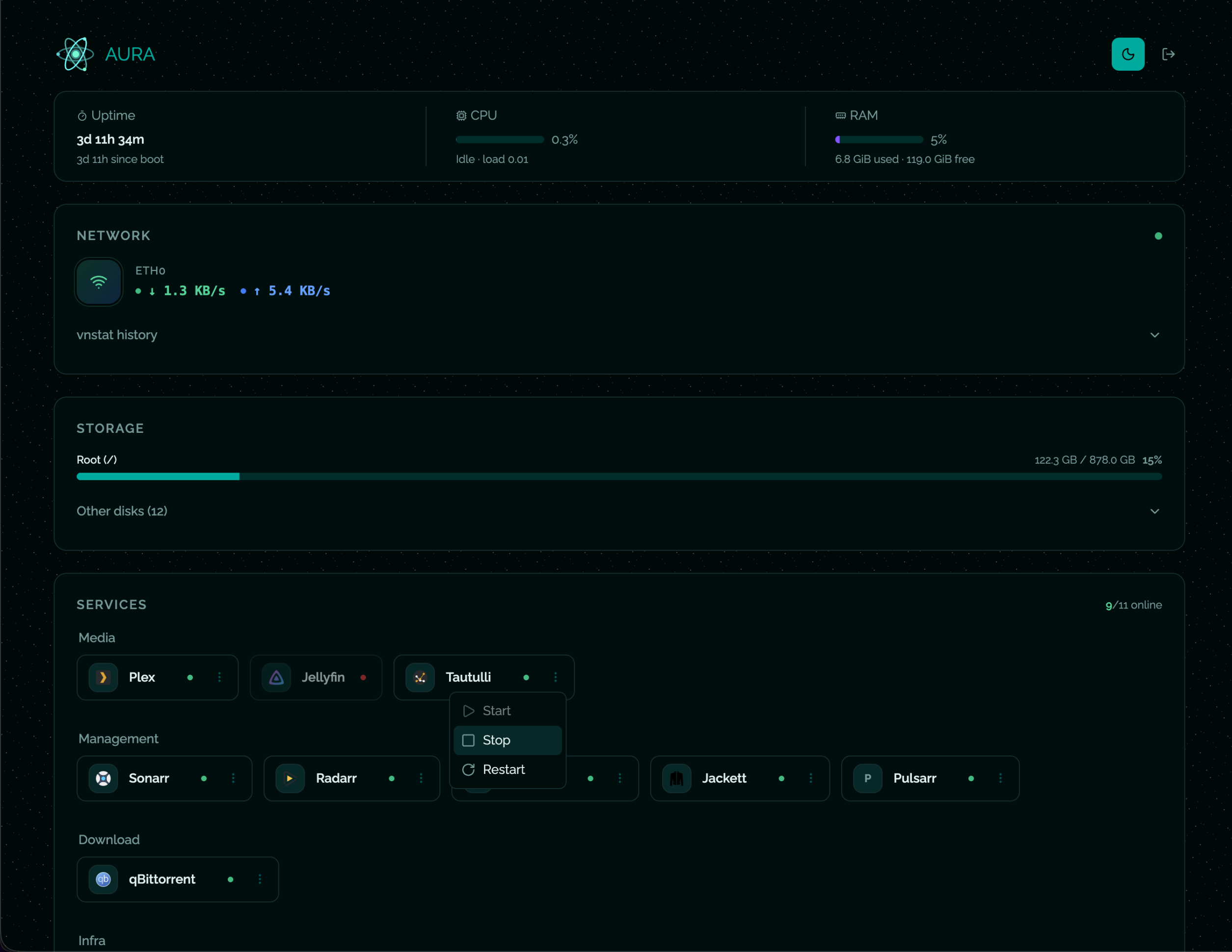
A self-hosted Docker services dashboard — monitor containers, system stats, network traffic and disk usage from a single page.
- Services — live Docker status for all your containers (start / stop / restart)
- System — CPU load, RAM usage, uptime
- Network — real-time bandwidth (WebSocket) + historical data via vnstat
- Storage — disk usage for
/and every/mnt/*mount point - Auth — username + password login with server-side sessions (SQLite)
- Themes — light / dark mode
No need to clone the repo. Just grab the image, drop in your config, and run.
Download the example and edit it:
curl -sL https://raw.githubusercontent.com/ioeldev/aura/main/config/services.example.json \
  -o services.json
# Edit services.json — replace URLs with your ownCreate a docker-compose.yml:
services:
    aura:
        image: ghcr.io/ioeldev/aura:latest
        container_name: aura
        restart: unless-stopped
        network_mode: host
        volumes:
            - /var/lib/vnstat:/var/lib/vnstat:ro
            - /var/run/docker.sock:/var/run/docker.sock:ro
            - /mnt:/mnt:ro
            - ./services.json:/app/config/services.json:ro
        environment:
            - ADMIN_USERNAME=admin
            - ADMIN_PASSWORD=changeme
            - SESSION_EXPIRE_HOURS=24
docker compose up -dOR
docker run -d \
  --name aura \
  --restart unless-stopped \
  --network host \
  -v /var/run/docker.sock:/var/run/docker.sock:ro \
  -v /mnt:/mnt:ro \
  -v $(pwd)/services.json:/app/config/services.json:ro \
  -v /var/lib/vnstat:/var/lib/vnstat:ro \
  -e ADMIN_USERNAME=admin \
  -e ADMIN_PASSWORD=changeme \
  ghcr.io/ioeldev/aura:latest
The panel is available at http://localhost:2655.
git clone https://github.com/ioeldev/aura.git
cd aura

cp .env.example .env               # set ADMIN_PASSWORD
cp config/services.example.json config/services.json  # edit URLs

docker compose up -d| Variable | Default | Description |
|---|---|---|
ADMIN_USERNAME |
admin |
Login username |
ADMIN_PASSWORD |
(empty) | Login password — leave empty to disable auth |
SESSION_EXPIRE_HOURS |
24 |
Session lifetime in hours |
If
ADMIN_PASSWORDis not set the panel is accessible without login. Suitable for a trusted local network, not for public exposure.
Changes are picked up automatically — no restart needed.
{
    "services": [
        {
            "id": "sonarr",
            "displayName": "Sonarr",
            "dockerName": "sonarr",
            "icon": "https://cdn.jsdelivr.net/gh/walkxcode/dashboard-icons/png/sonarr.png",
            "url": "http://192.168.1.10:8989",
            "category": "Management"
        }
    ]
}| Field | Required | Description |
|---|---|---|
id |
✅ | Unique identifier |
displayName |
✅ | Label shown in the UI |
dockerName |
✅ | Container name as shown by docker ps |
icon |
✅ | URL to an icon image |
url |
✅ | URL opened when clicking the service |
category |
— | Groups services: Media, Management, Download, Monitoring, Infra |
Icons: walkxcode/dashboard-icons — use https://cdn.jsdelivr.net/gh/walkxcode/dashboard-icons/png/<name>.png
| Mount | Purpose |
|---|---|
/var/run/docker.sock |
Read container states from Docker |
./services.json:/app/config/services.json |
Your services list |
/mnt |
Host mount points for disk monitoring |
/var/lib/vnstat |
Host vnstat database for network history |
./data:/app/data (optional) |
Persist auth sessions across restarts |
The network history panel reads data from vnstat running on the host. The container mounts /var/lib/vnstat read-only and queries it directly, so vnstat must be installed and running on the host before starting Aura.
sudo apt update && sudo apt install vnstat
sudo systemctl enable --now vnstat
Give it a few minutes to start collecting data, then restart Aura.